
Notifications & Channels Setup
Configure automated WhatsApp messages, email alerts, SMS reminders, and system notifications for classes, absences, and invoices.
Keep parents, teachers, and students instantly informed. Automate halaqah reminders, payment receipts, homework alerts, and attendance notifications via WhatsApp and Email.
- حساب مدير أكاديمية نشط.
- لتفعيل إشعارات الواتساب والبريد: تثبيت إضافة «بوابة إشعارات الواتساب والبريد الإلكتروني» من متجر الإضافات (مجاناً).
- رقم هاتف محمول مخصص لواتساب الأكاديمية لمسح رمز الـ QR.
- بيانات خادم بريد SMTP في حال الرغبة بإرسال تنبيهات بريدية مخصصة باسم دومين الأكاديمية.
Detailed Implementation Steps
Connect Academy WhatsApp (QR Code)
Link your academy's WhatsApp phone number by scanning the QR code in WhatsApp settings to enable automated message dispatches.
إشعارات المنصة الافتراضية تعمل تلقائياً لإعلام الإدارة والطلاب فور حدوث أي نشاط داخل لوحة التحكم.
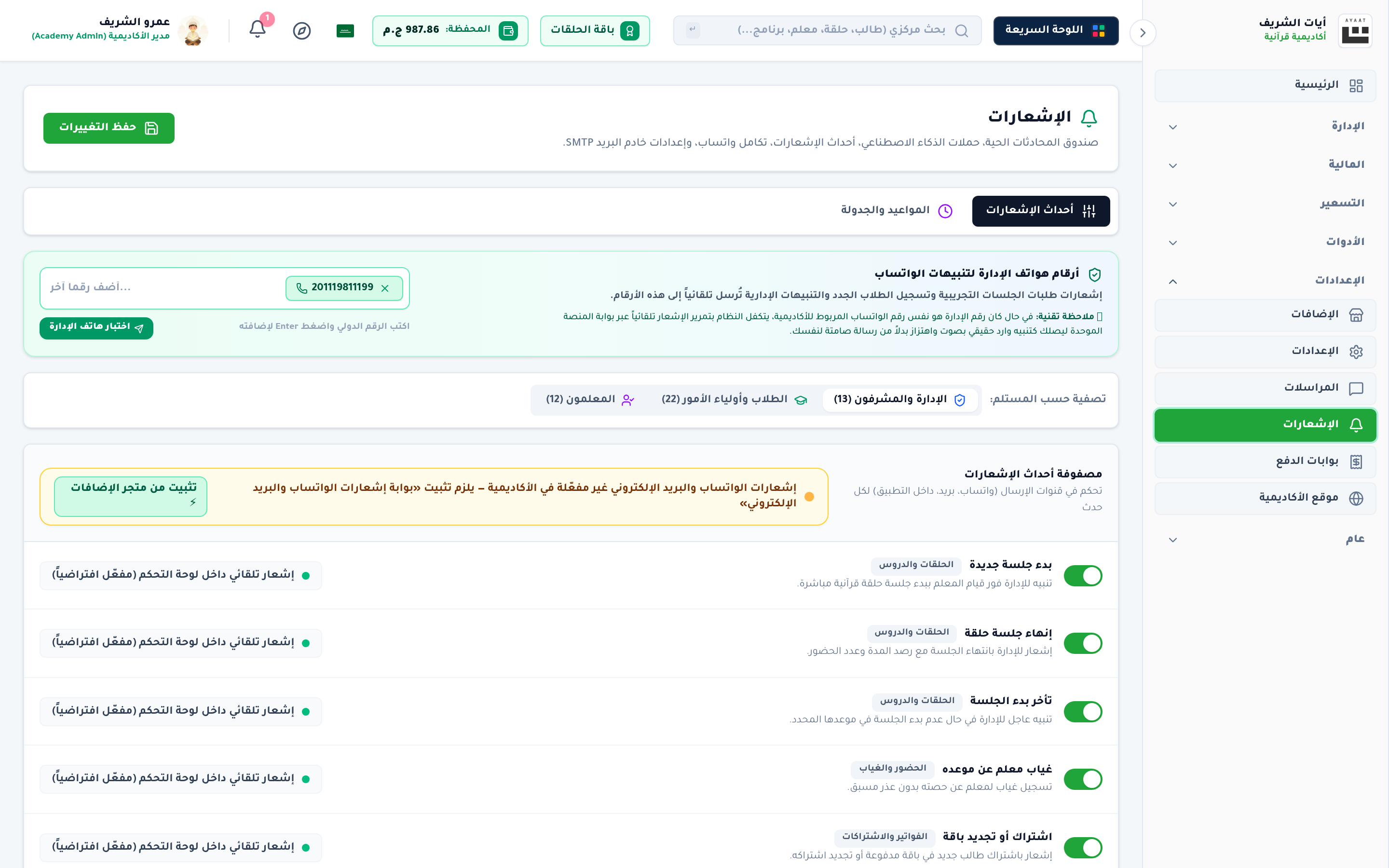
Figure (1): WhatsApp connection QR modal
Configure Email Gateway (SMTP)
Set up your custom SMTP or Mailgun/SendGrid server to dispatch official branded emails from your academy's domain.
- Enter SMTP host, port, username, and secure password.
- Send a verification test email to ensure seamless delivery.
- Customize official email signatures and header logos.
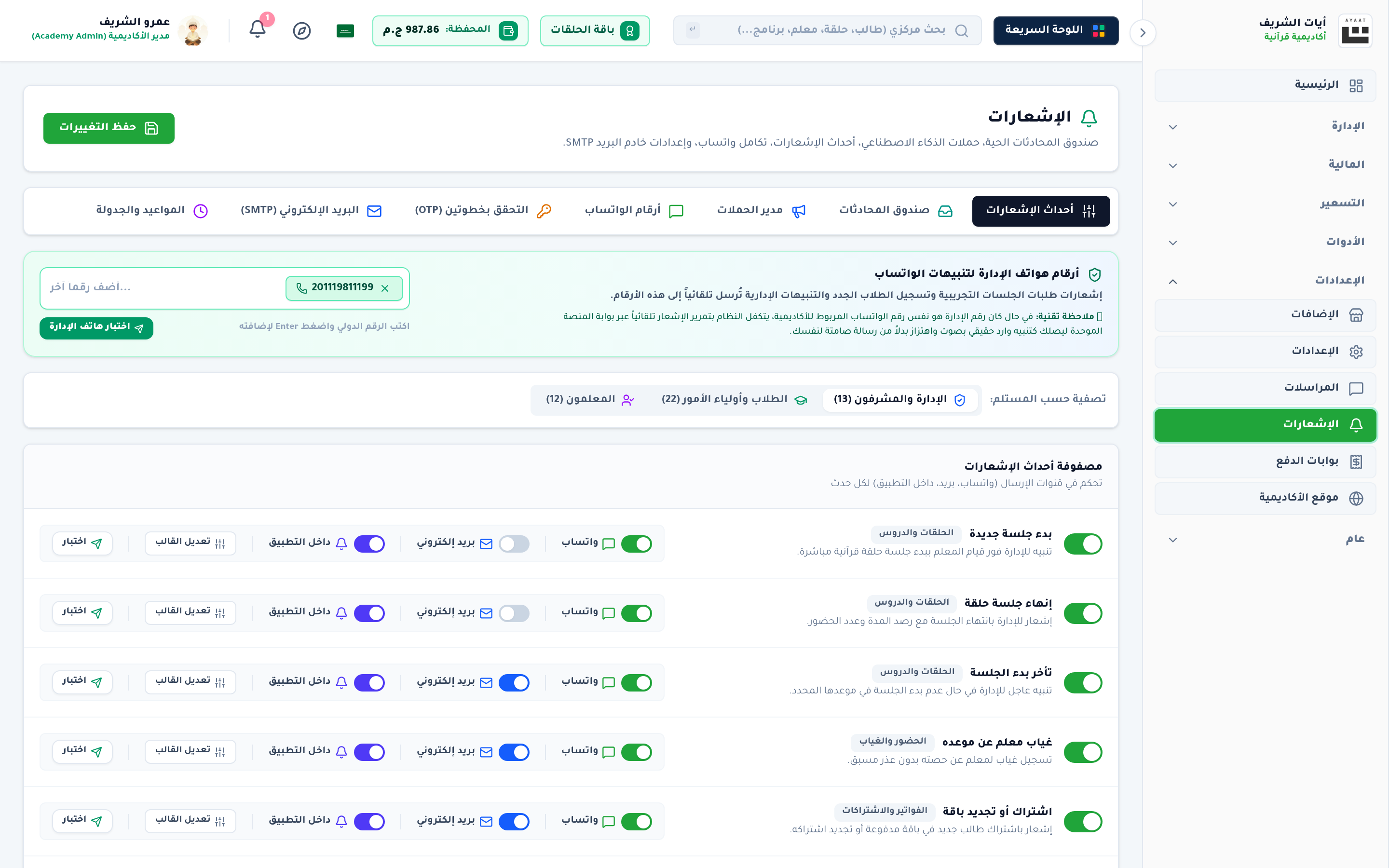
Figure (2): مصفوفة أحداث الإشعارات بعد تفعيل الإضافة وفتح كافة القنوات في أيات الشريف
Automated Session Reminders
Enable scheduled reminders sent 15 or 30 minutes before each halaqah with direct one-click student joining links.
Pre-session reminders drastically cut student absenteeism and missed classes.
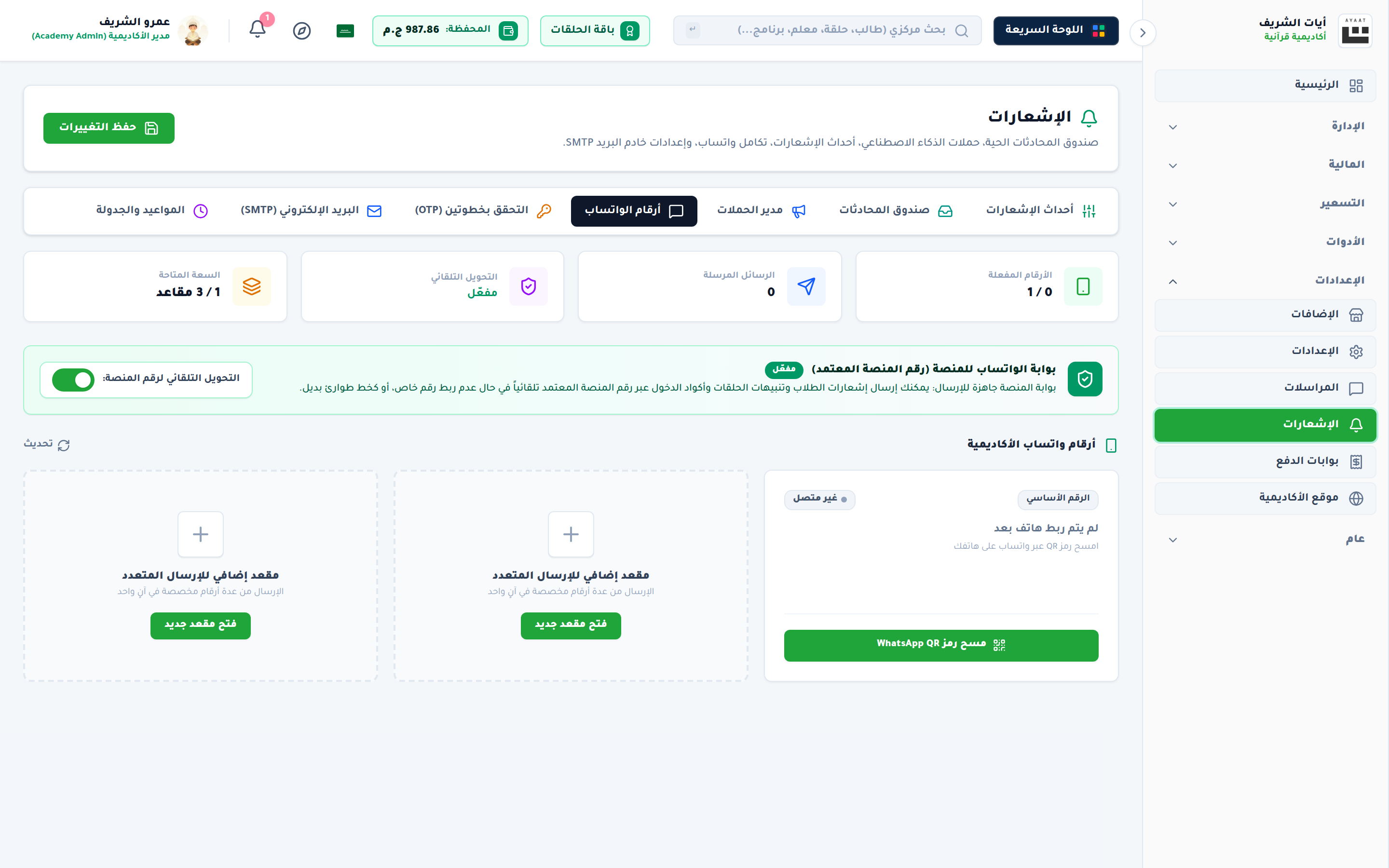
Figure (3): تبويب أرقام الواتساب وربط البوابة عبر مسح رمز QR في أيات الشريف
Attendance & Invoice Triggers
Configure automated notifications dispatched when a student is marked absent, an invoice is generated, or tuition is overdue.
- تخصيص اسم المرسل ليظهر باسم أكاديميتك الرسمي (مثلاً: أكاديمية أيات الشريف القرآنية).
- إمكانية استخدام بوابة المنصة الافتراضية الجاهزة في حال لم تكن تمتلك خادم SMTP خاص بك.
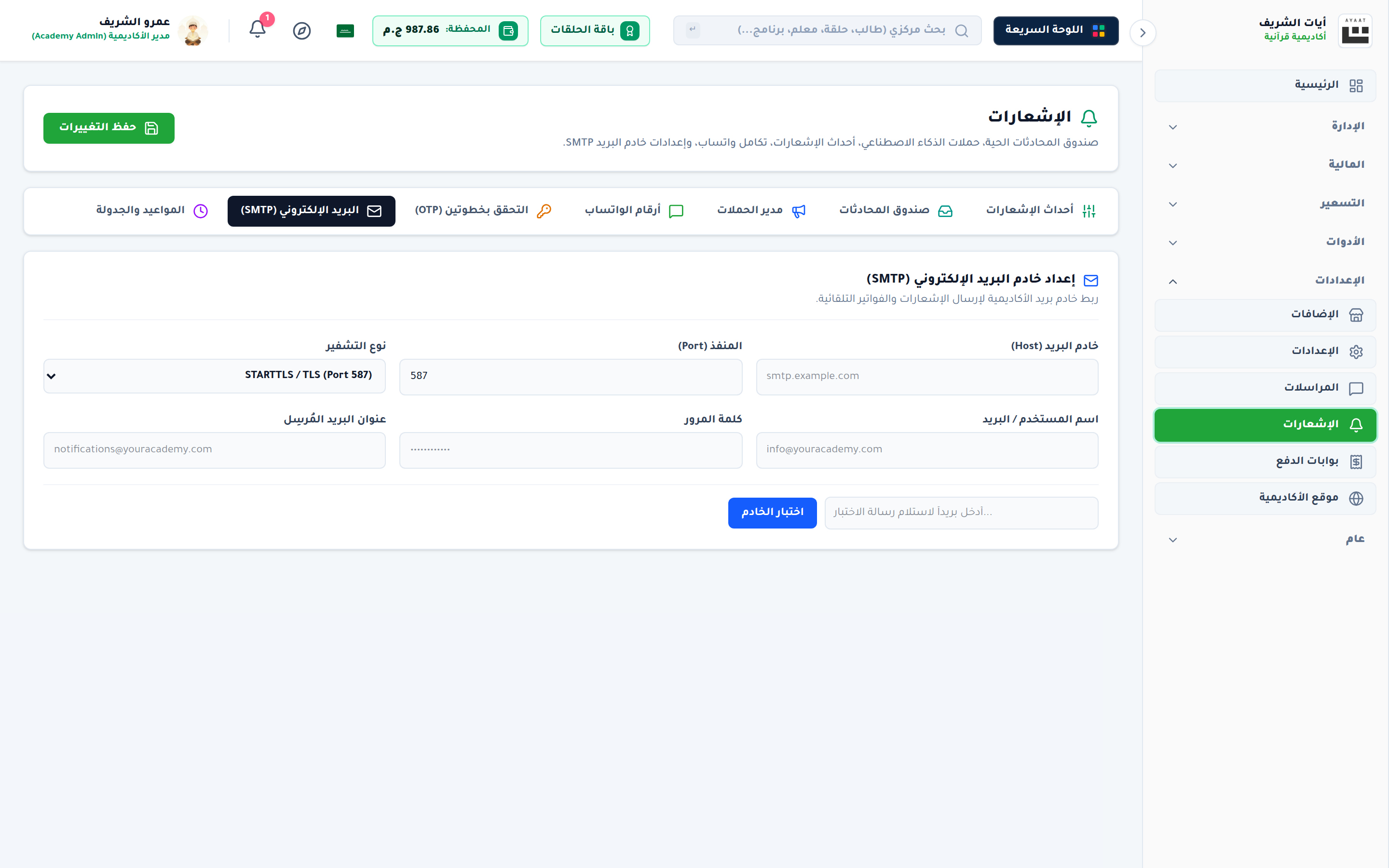
Figure (4): تبويب إعدادات خادم البريد SMTP في أيات الشريف
Message Templates & Variables
Personalize notification text using dynamic placeholders such as {student_name}, {circle_name}, {time}, and {payment_link}.
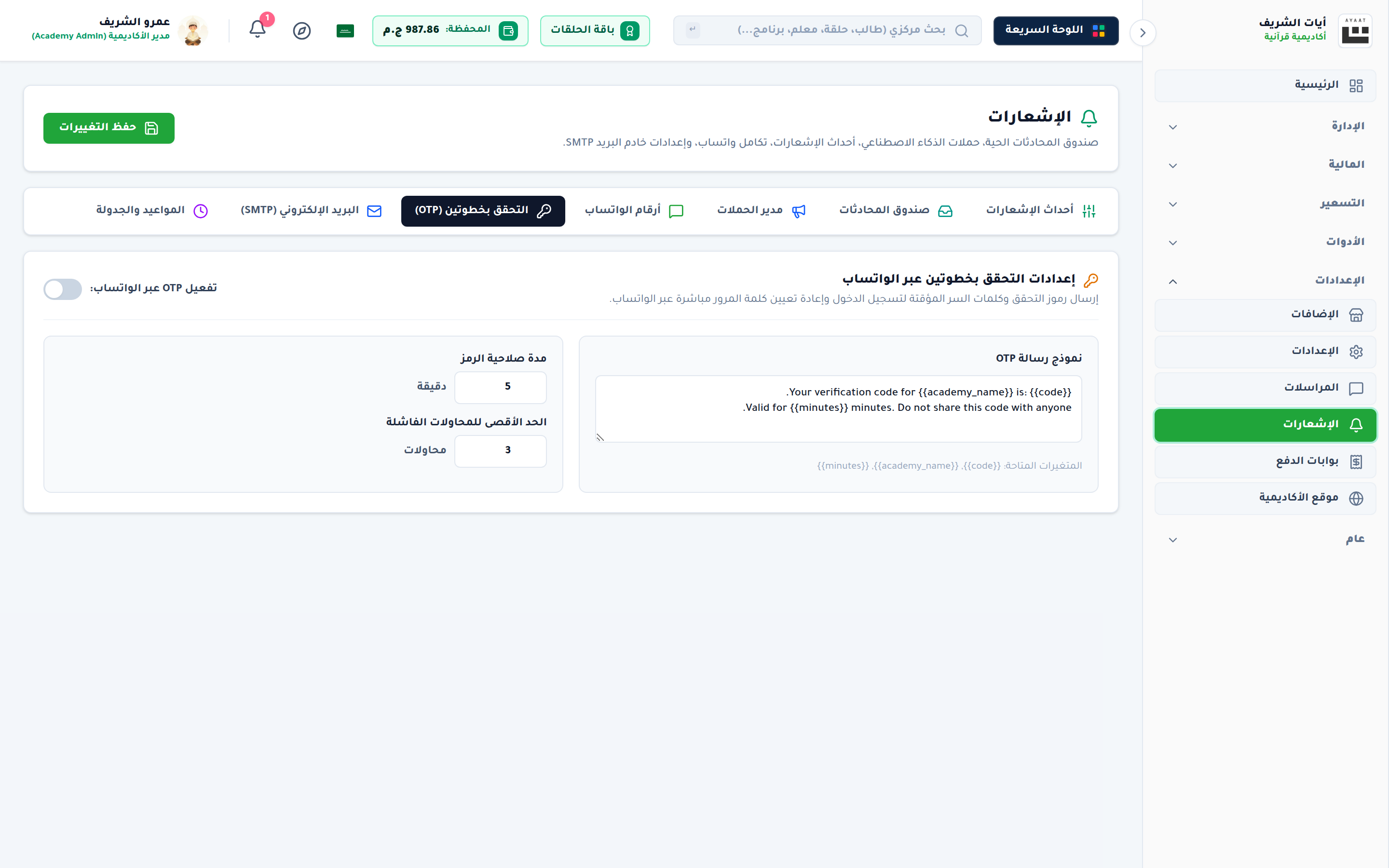
Figure (5): تبويب إعدادات التحقق بخطوتين OTP في أيات الشريف