
Academy Registration
Guide to launching an independent academy account, selecting your subdomain, and activating your workspace in 3 minutes.
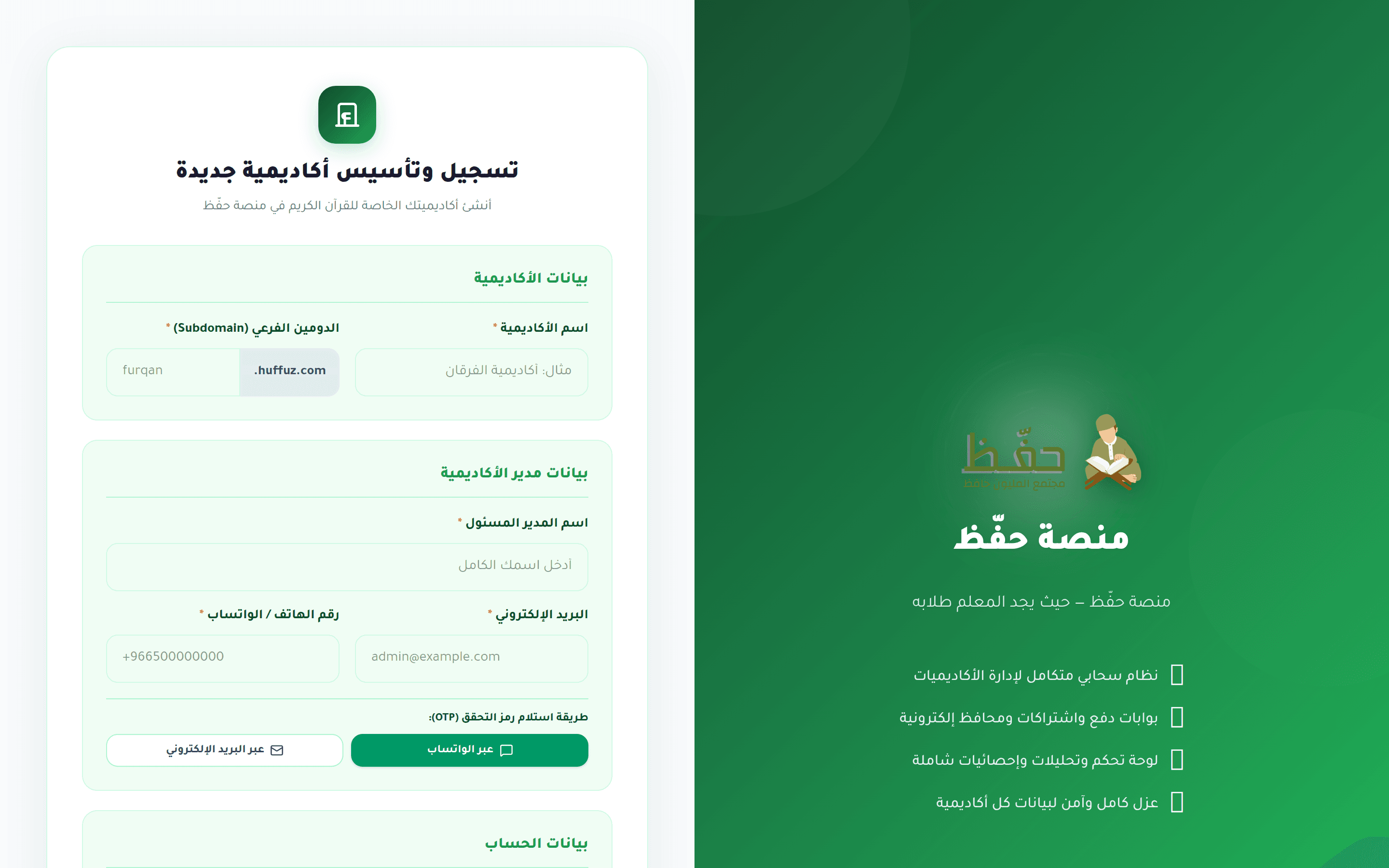
1. الدخول لصفحة التسجيل المجاني
الانتقال إلى رابط التسجيل المباشر (/academy/register) واختيار تدشين أكاديمية قرآنية جديدة.
Learn how to establish a fully integrated Quran academy account on the Huffuz platform, complete with custom domain setup and verified principal administrator credentials.
- An active official email address for the academy administrator to receive activation codes and notifications.
- Arabic and English name for the academy along with your desired subdomain.
Detailed Implementation Steps
Access the Registration Page
Go to the Huffuz platform homepage and click “Register Your Academy for Free”, or navigate directly to the dedicated registration portal.
You can begin with a free trial allowing you to explore all platform features and configure halaqahs before choosing a subscription plan.
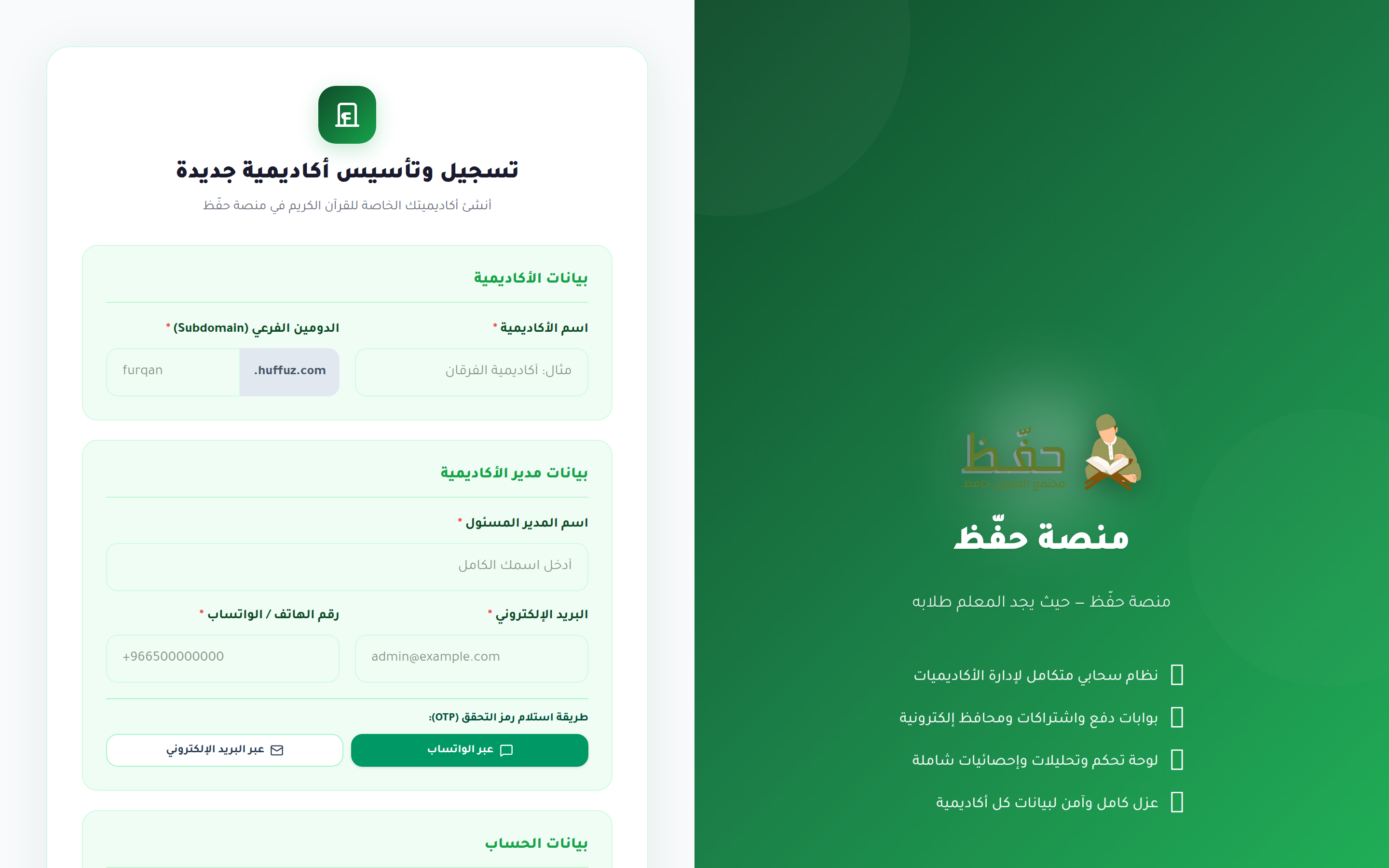
Figure (1): New academy registration screen
Fill Details and Subdomain
Enter the academy name, administrator name, phone number, and email, then choose your subdomain (e.g., myacademy.huffuz.com).
- Subdomains must contain English letters and numbers without spaces.
- You can later connect your custom standalone domain (such as quran-academy.com) seamlessly from the settings panel.
- Choose a secure password containing uppercase, lowercase letters, and digits.
Ensure the email address is typed accurately, as it is essential for account recovery and financial transaction notifications.
Activate Account & Get Started
After clicking “Create Academy”, you will immediately be redirected to the main admin dashboard to initiate the quick setup wizard and configure your branding and curriculum.
At the bottom of the dashboard, an interactive guided tour will direct you step-by-step through your essential first actions.
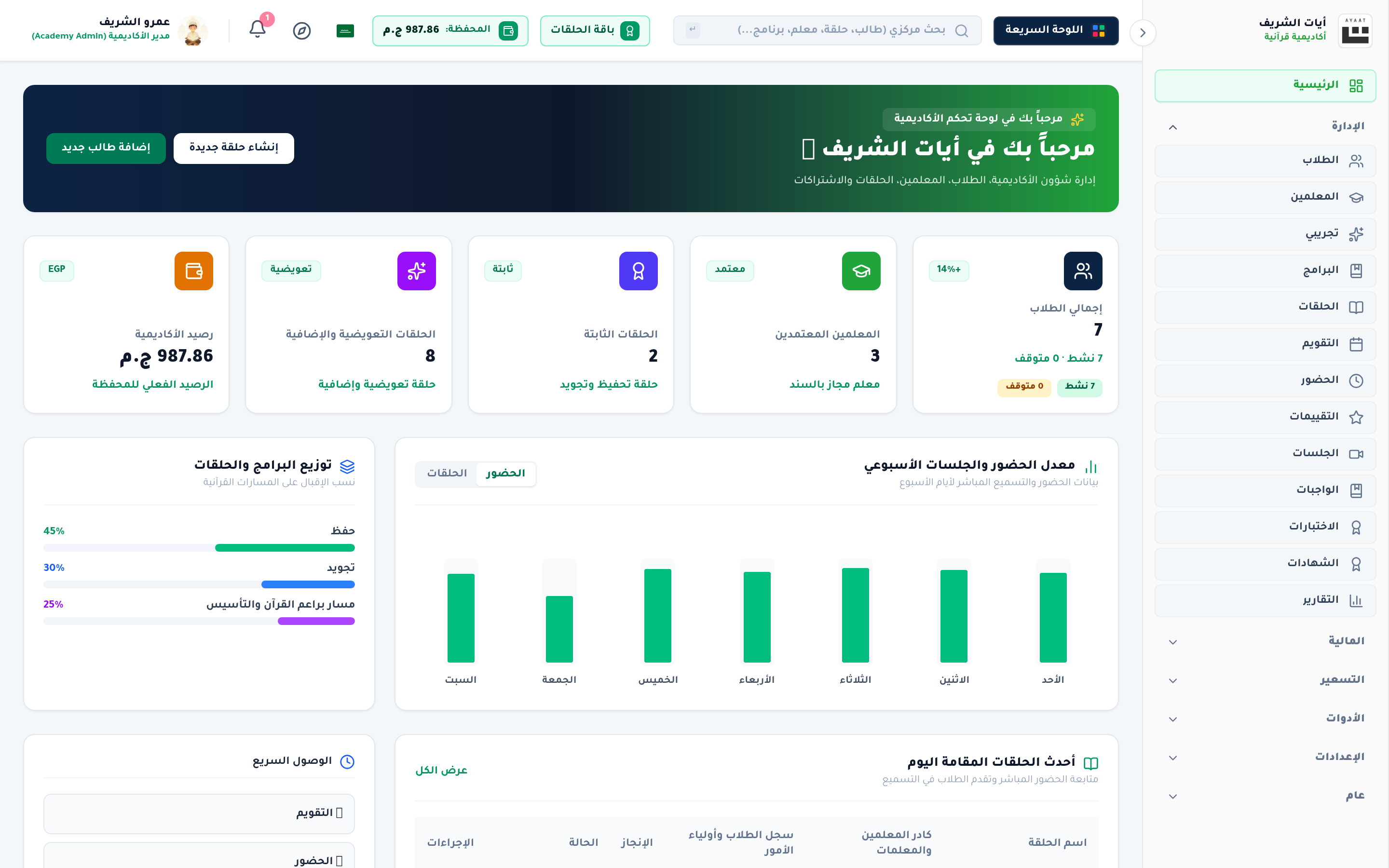
Figure (3): Academy administrator dashboard - Welcome screen
Recommended steps and paths for your academy
Frequently Asked Questions about this guide
Can I change the academy name or domain later?
Yes, you can edit the academy name and logo at any time from the Academy Settings screen, as well as link a completely custom domain.
How many teachers and students can be enrolled?
The platform allows adding teachers and students based on your selected plan, with full flexibility to upgrade your capacity at any time without service interruption.