
Smart Plugins & Systems Store
Extend your academy with smart add-ons: LiveKit interactive video, exam engines, AI assistants, homework systems, and WhatsApp marketing.
Unlock enterprise-grade features on demand. Activate interactive classrooms, automated homework, digital certificates, and marketing automations with one click.
- حساب مدير أكاديمية نشط ومسجل بالمنصة.
- تحديد الخدمات والإضافات التي تحتاجها وفق خطة عمل أكاديميتك.
Detailed Implementation Steps
Browse Available Add-ons
Visit the Extensions Store to discover modular systems tailored for Quranic academies.
- تصفية الإضافات حسب التصنيف: (الكل، الإضافات المثبتة، اتصالات ومراسلات، مالية ومحفظة، تسويق ونمو).
- بطاقات الإضافات: توضح اسم الإضافة، نبذة مختصرة عن وظيفتها، نوع الاشتراك (مجاني دائم أو مدفوع)، وحالة التثبيت الحالية.
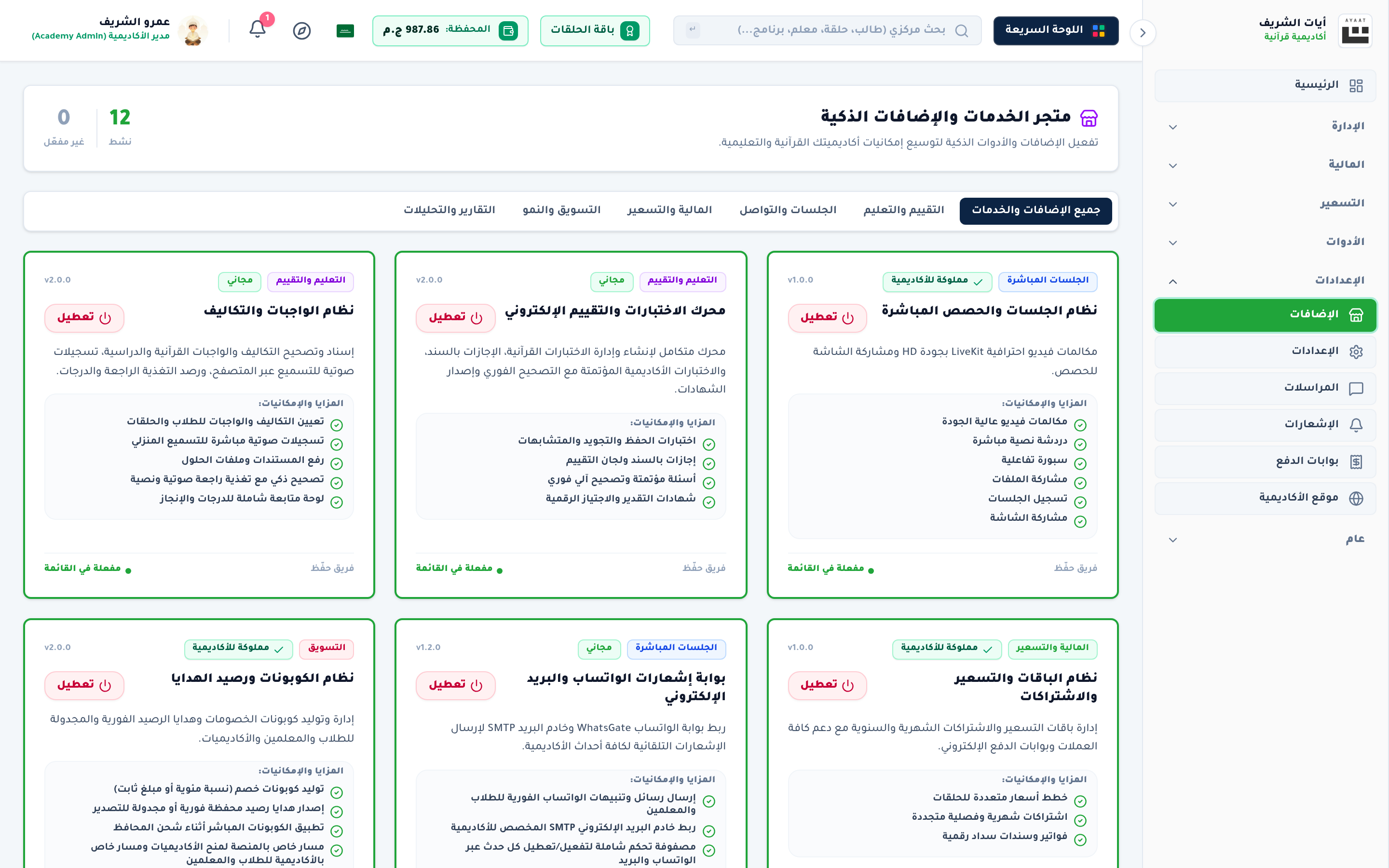
Figure (1): Plugins store catalogue
Install & Activate Systems
Click Install on any system (e.g., LiveKit Video Rooms, Homework Engine, or AI Assistant) to enable it across your academy.
Installed plugins immediately inject dedicated management tabs and student-facing interfaces.
Configure Add-on Preferences
Tailor the plugin settings to match your operational policies, such as recording retention periods or automated grading criteria.